
Factory ERP software for Pakistan
One system runs the whole factory, and the books keep themselves
Buying, making, selling, stock, payroll and accounts, connected. A built-in AI assistant answers questions about the business in plain language.
Every action posts to the accounts automatically, every batch is costed at what it really cost, and the system is set up for your type of factory from day one.
- Zero double entrysales, production and payroll post to the ledger by themselves
- True batch costingmaterials, labour and overhead on every run
- AI with approvalit prepares the work, you press Confirm
What it is, in plain words
A factory ERP where the accounts are a by-product of running the factory.
Factory ERP is one system for buying, making, selling, stock, payroll and the books. Every sale, purchase, production run and payroll posts its own journal entries, so the accounts are live rather than a month behind. Each production batch is valued at what it really cost, stock can't go negative, and an AI assistant answers questions about the business from your live figures, with a person confirming anything it prepares.
Plastic packaging factories
Film blowing, printing, lamination, slitting and bag making, with every roll tracked by number and weight. See the packaging setup.
Garment and textile factories
Piece-rate and attendance payroll in one run, recipe-based production and orders delivered in several lots. See the garments setup.
Other manufacturers
Any factory that buys materials, makes products to a recipe and sells them on credit, set up for your type of factory from day one.
Owners and accountants
Live profit, cash and stock without waiting for month-end, bank statements reconciled in a few clicks, and answers in plain language.
The daily problems it takes away
Built around what actually goes wrong in a factory office.
An AI business assistant that knows your numbers
Not a chatbot bolted on. It's wired into the ledger, stock and payroll, with a person approving every change.
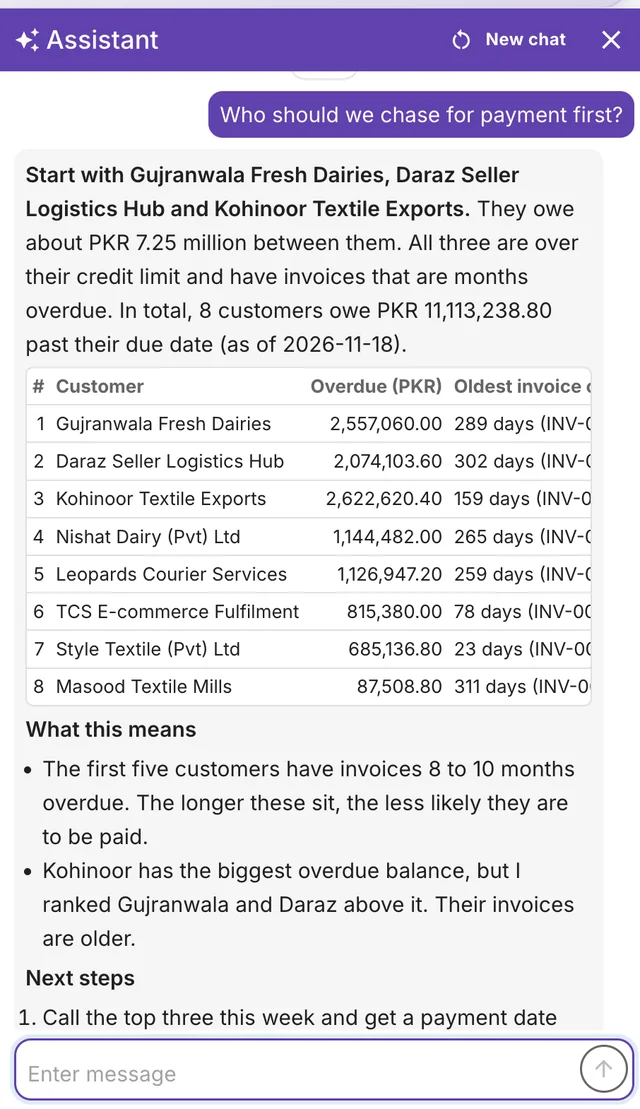
Ask it anything about your business, such as “How did we do this month?” or “Which products make the most profit?” It answers from your own live figures.
Specialist assistants for each area
Sales, purchases, stock, cash, receivables, payables, payroll, expenses, banking, tax and journals. The right one is picked for each question automatically.
Forecasts
Next month's sales and a week-by-week cash outlook, so you see a cash squeeze coming.
Warnings before they cost you
Flags late payers, double payments to suppliers, supplier price rises, unusual payments and stock that is running out or not moving.
It does the work, you approve it
Prepares expenses, journal entries, purchase bills and payments. Nothing is posted until you press Confirm.
See 1 more
It respects permissions
Each person's assistant only sees and does what their role allows on screen.
Accounting that keeps itself
No separate accounting step. The books are a by-product of running the factory.
Automatic double-entry bookkeeping
Every sale, purchase, payment, production run, stock write-off and payroll posts the right journal entries by itself.
Bank statements in, even PDFs
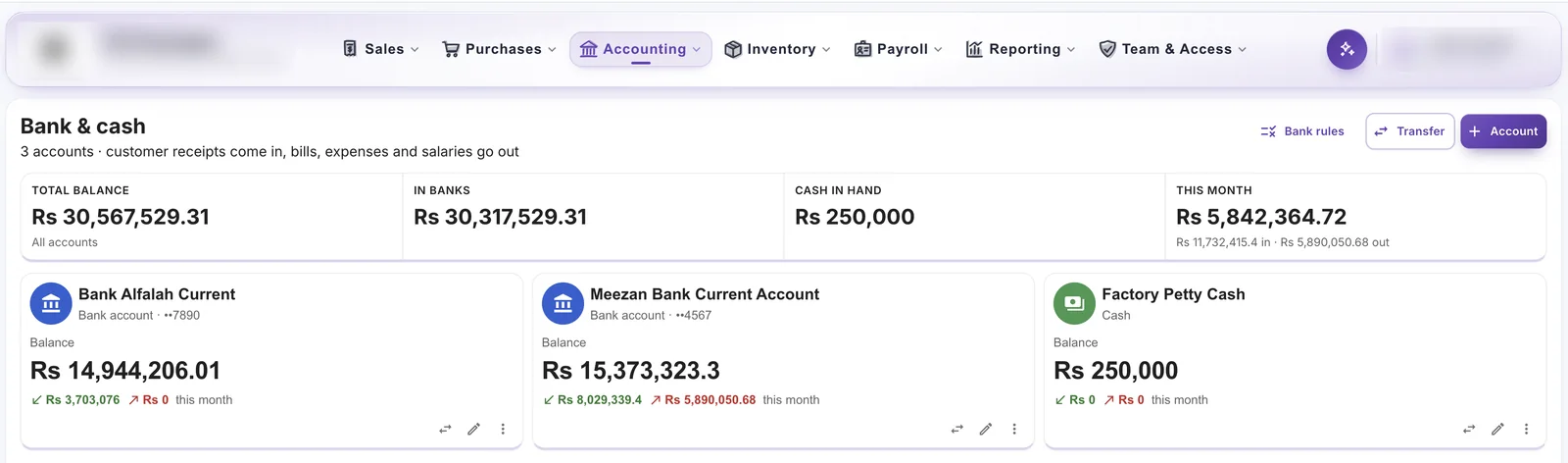
Upload a CSV or PDF statement from any bank. Transactions, opening and closing balances, debits and credits are read for you.
Guided bank reconciliation
Statement lines are matched to the books with suggestions you accept in one click (“Match all suggested”), then it shows exactly what still doesn't agree.
Bank rules that learn
Rent, utilities and fuel fill themselves in. One payment can be split across accounts by fixed amounts or percentages.
See 1 more
Approval workflow
Invoices, bills, expenses and journals can require sign-off, so nothing reaches the books unapproved.
Sales, from quote to cash
- Quote
- Sales order
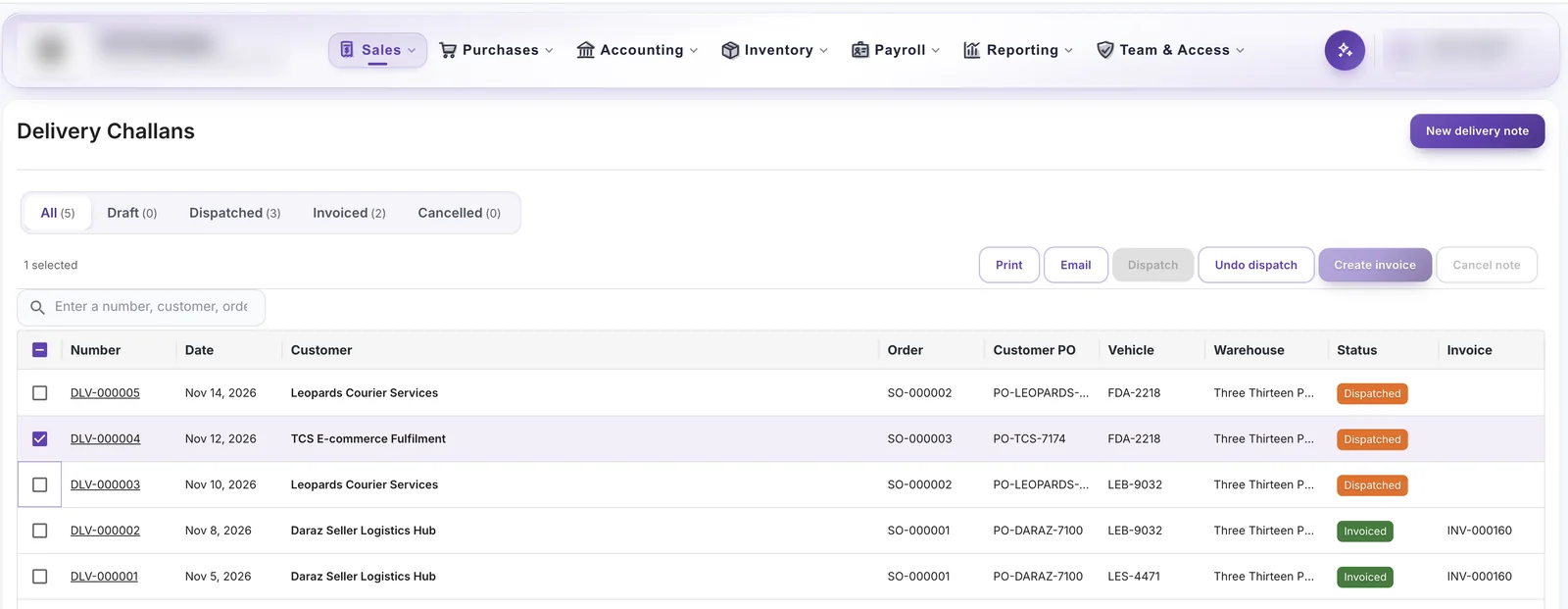
- Delivery challan
- Invoice
- Payment
One connected flow
Each step is created from the one before in a click, and the order shows where it stands at every stage.
Partial deliveries
Deliver an order in several lots, and invoice several delivery challans together.
Repeating invoices
Monthly or weekly customers are invoiced automatically, and can even be approved and emailed with no one touching them.
Branded documents by email
Invoices and quotes go out as PDFs with your logo and colours, with a message you can edit.
See 3 more
Excel import
Fill in an Excel template and turn it into an invoice or a purchase.
Credit and debit notes
Returns and corrections handled properly, with stock and accounts updated.
Who to chase, and when
What each customer owes, how overdue it is, and who usually pays late.
Invoices your customers take seriously
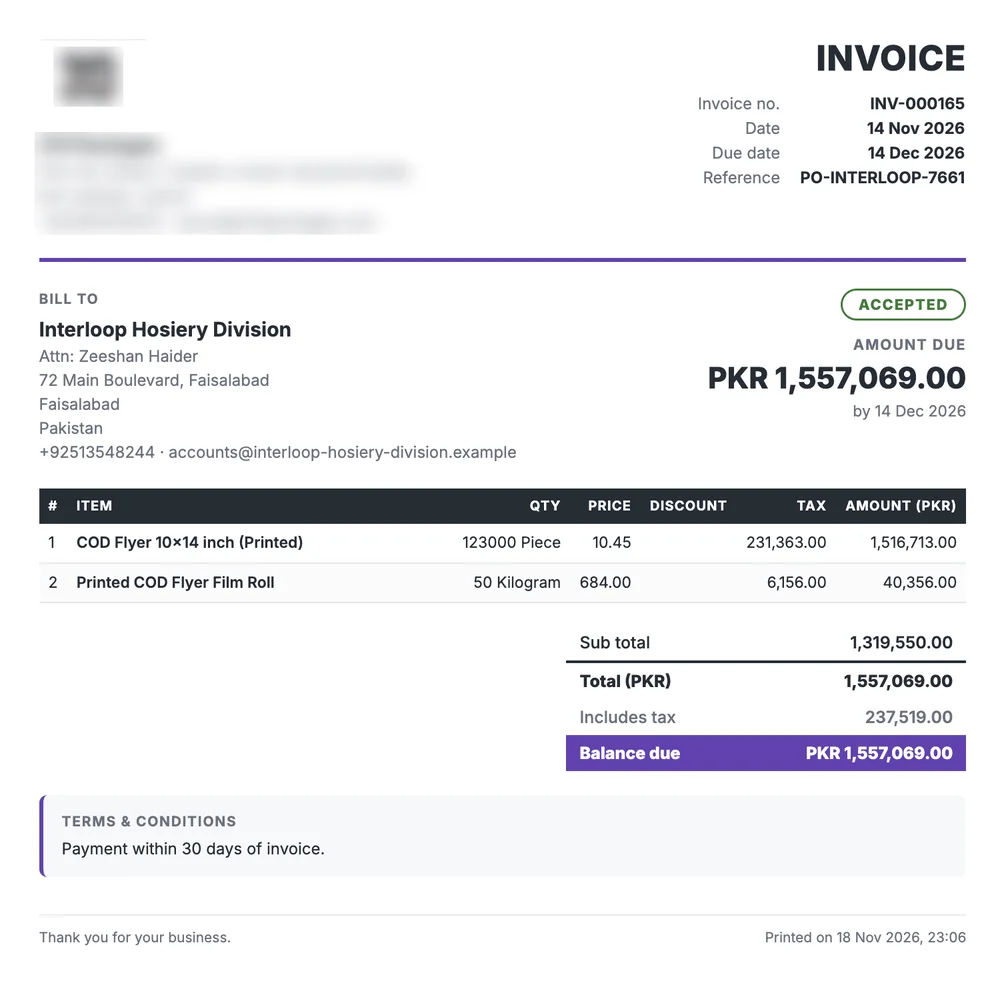
Every invoice goes out as a clean, branded PDF with your logo and colours, sent by email straight from the system with a message you can edit.
- Tax worked out per line, with the total tax shown
- Customer PO reference and due date on every invoice
- Balance due updates as payments come in
- The same look for quotes, orders and delivery challans
Purchasing and suppliers
Purchase orders that send themselves
Approving a purchase order emails it to the supplier with its PDF.
Order-to-bill tracking
Turn an approved PO into a bill in one click, and see which orders are still unbilled.
Automatic remittance advice
When you pay a supplier, they get an email listing which invoices were paid, when and how.
Spend control
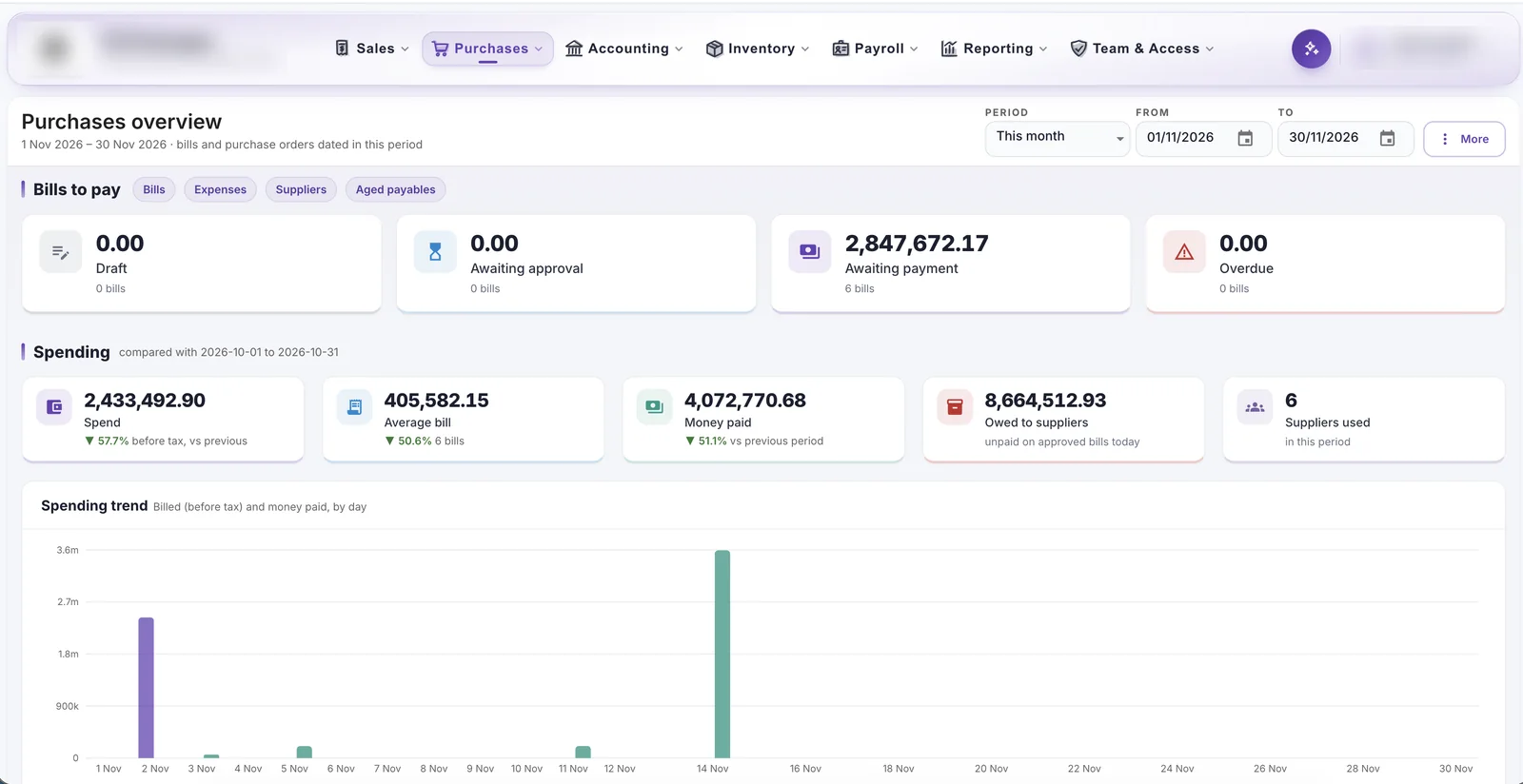
Flags supplier price rises, double payments and balances that don't match the bills, and shows what falls due when.
Built for the factory floor
Production and stock you can trust
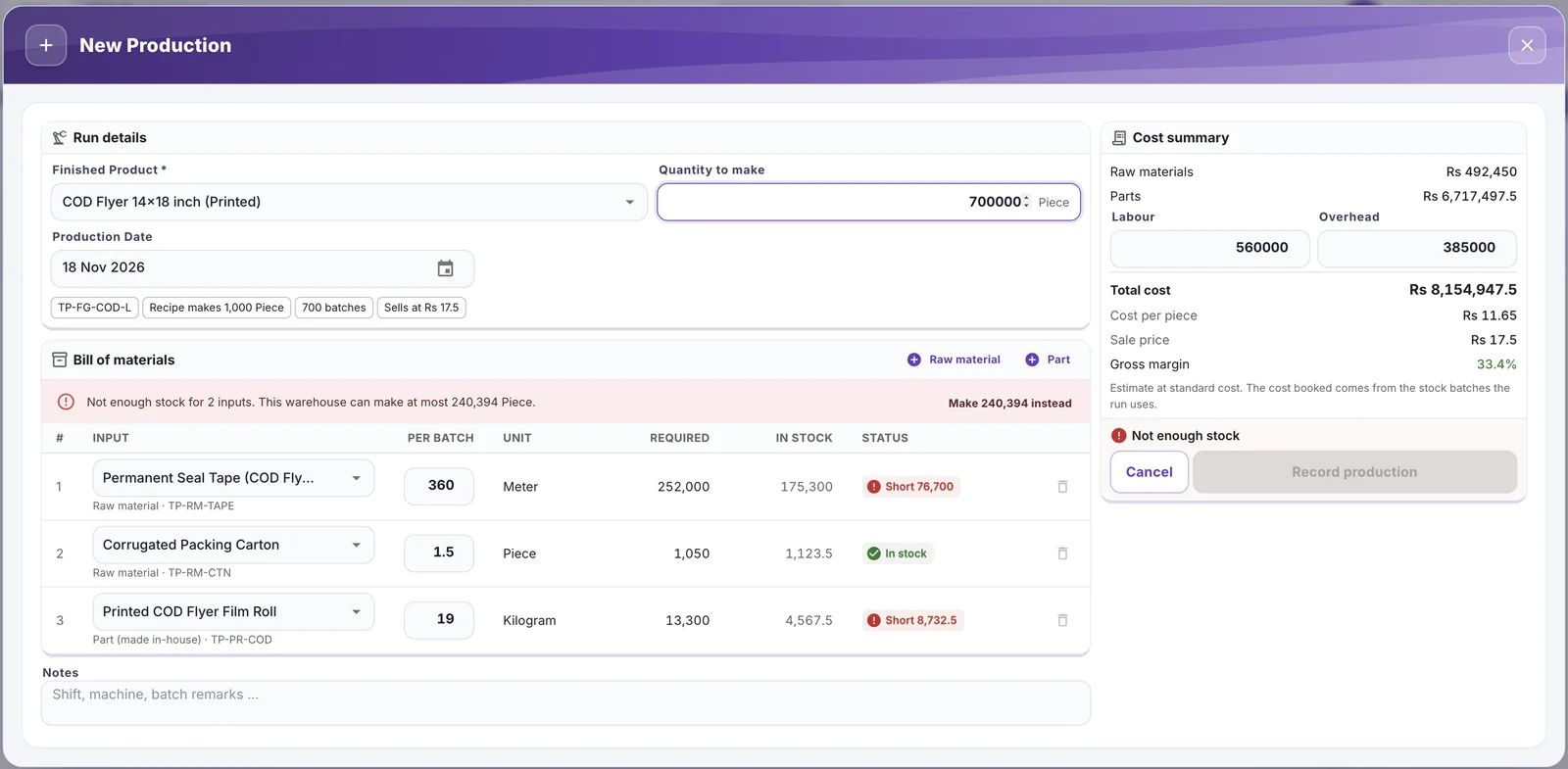
Set a recipe once and produce any quantity. Raw materials are scaled and taken out of the warehouse automatically, and every batch is valued at what it really cost.
- True cost of every run. Materials, parts, labour and overhead, so your profit figures are based on real costs, not guesses.
- It never produces from stock you don't have. A run is refused if the warehouse can't cover it, so stock figures stay honest.
- Roll and lot tracking. Every roll keeps its own number, supplier batch, weight in and weight left. Split a bulk lot into rolls once weighed.
- Multiple warehouses and units. Buy in kg, sell in cartons, with automatic conversion across sites.
- Order tracking on the floor. Orders marked as in production, so sales and the factory see the same status.
- Stock intelligence. Items below reorder level, slow-moving and dead stock, turnover and how much to order.
Payroll and workforce
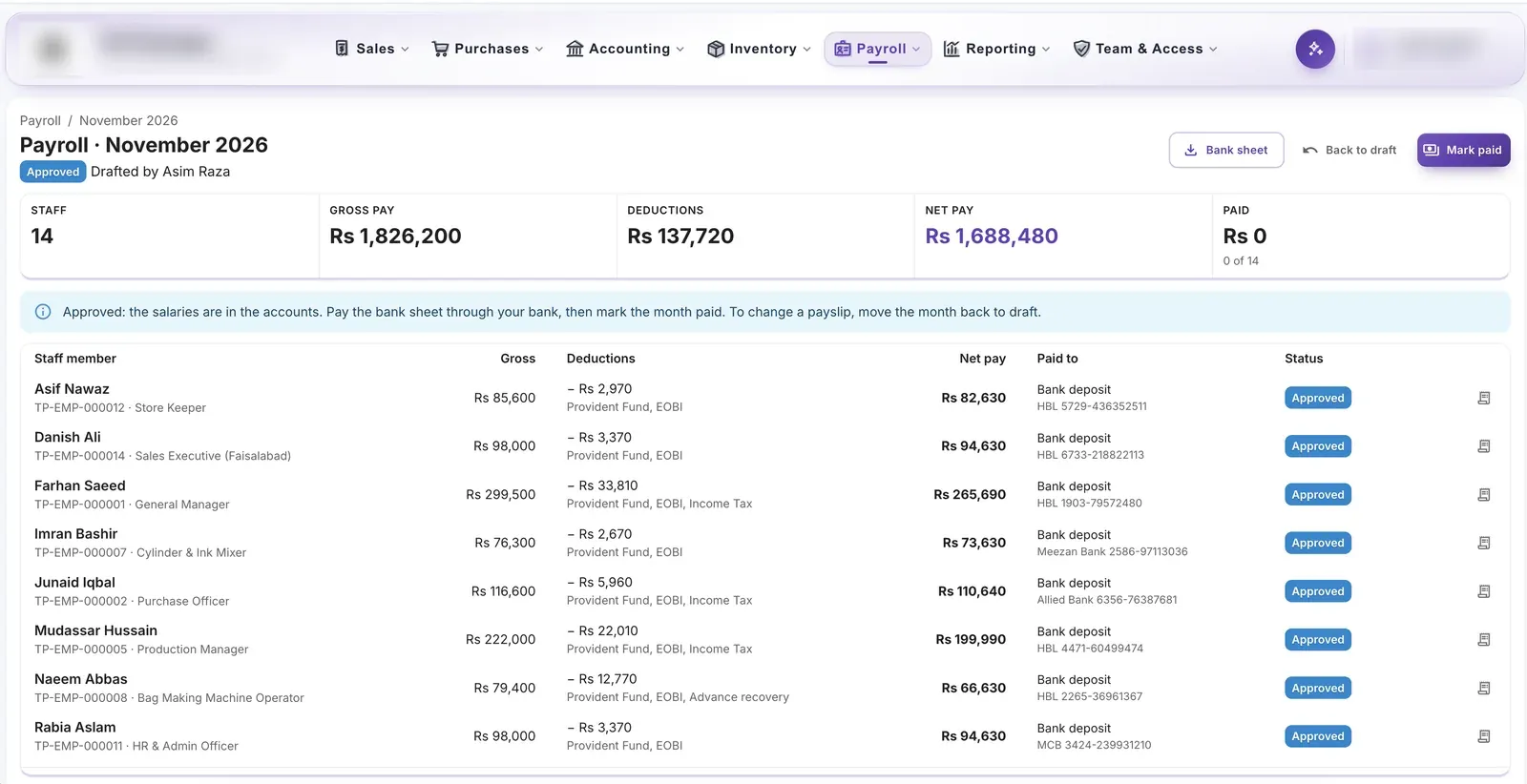
Salaried staff, daily attendance and piece-rate workers, all in one payroll run.
Payroll in three steps
Generate, approve, pay, for everyone at once. Salaries post to the accounts and are paid from the chosen bank account.
Pay calculated from attendance
Working days, holidays, leave, late hours and overtime are worked out automatically.
Piece-rate workers
Pay by the piece, e.g. “stitching, per dozen, Rs 18”. Daily output adds up into the payslip.
Loans and advances
Instalments are deducted from each payroll automatically until repaid.
See 1 more
Flexible pay periods
Monthly, half-monthly or weekly.
Reports and insights
Financial statements, always current
Profit and loss, balance sheet, trial balance and general ledger, with no month-end catch-up.
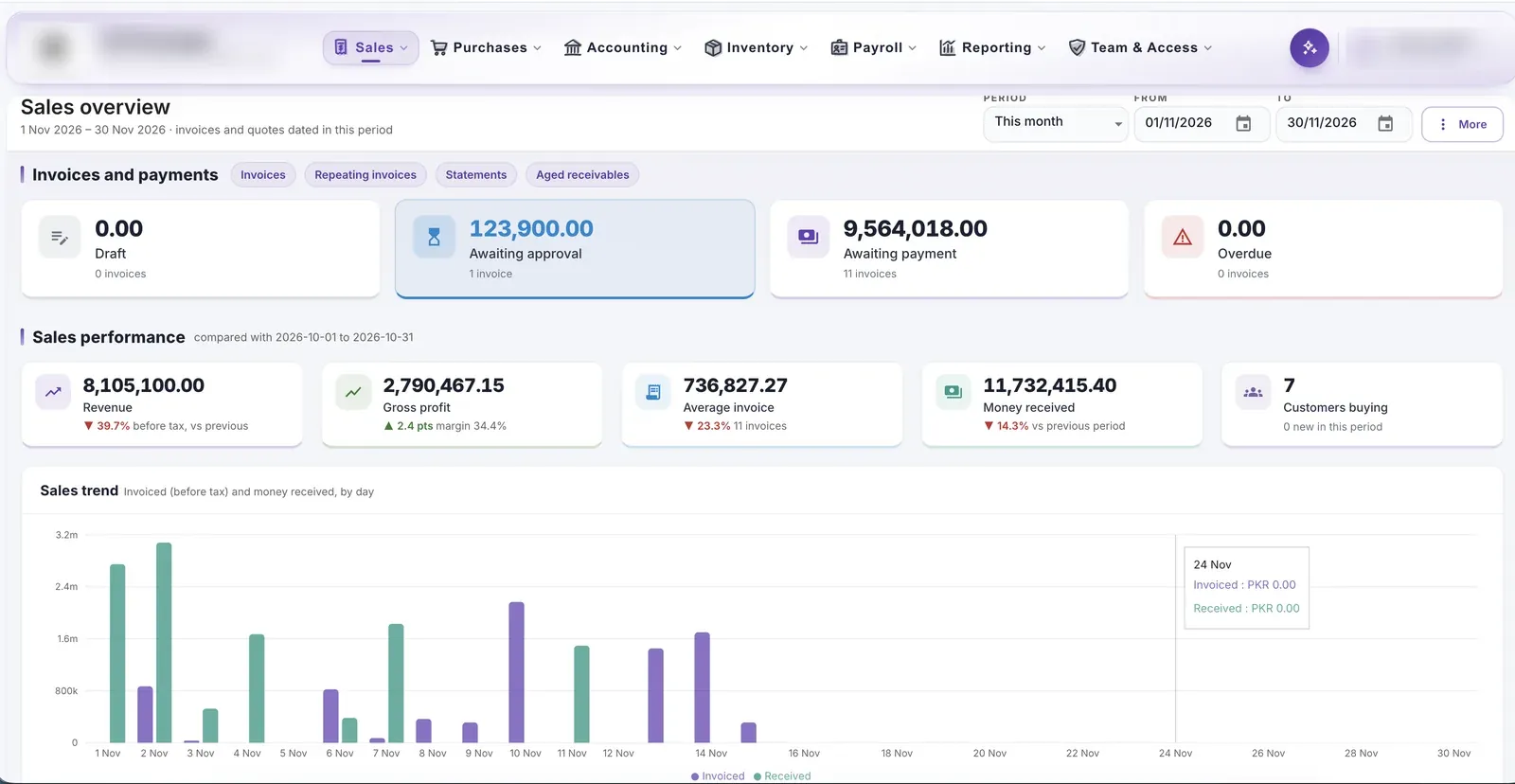
Sales and purchase dashboards
Revenue, gross profit and margin, money received, new and top customers and products, each compared with the previous period.
Aged receivables and payables
Who owes you, what you owe, and how overdue it is.
Running statements
For any bank account, customer or supplier, with a running balance.
See 1 more
Stock and production reports
Stock value by warehouse, category or product, and what each production run used and made.
Control, security and setup
Built for your industry
Ready-made setups for plastic packaging (film blowing, printing, lamination, slitting, bag making) and for garments and textiles, with the right categories, specs and roles.
Hide costs from staff
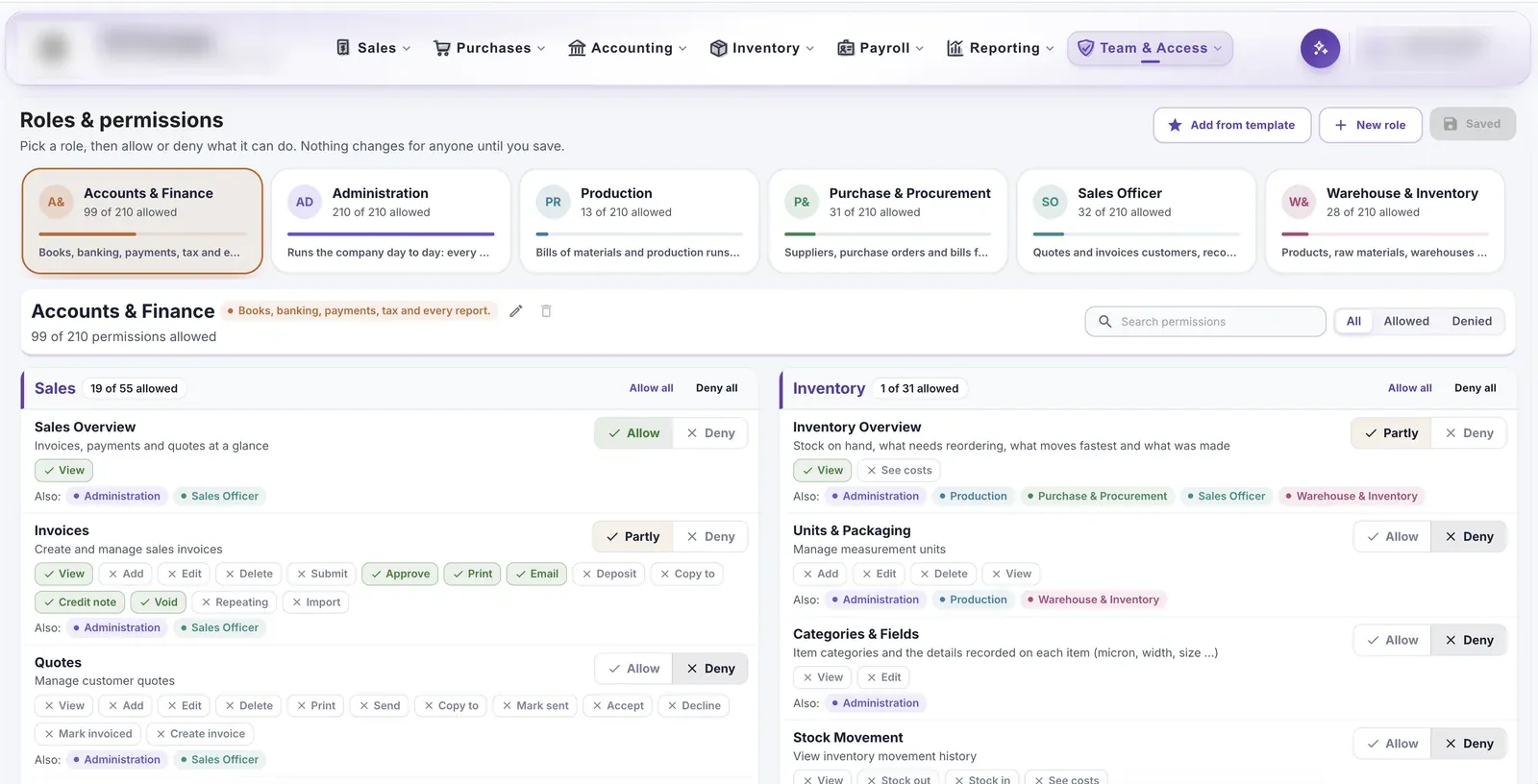
Cost prices, stock value and profit hidden from roles that shouldn't see them, on screen and in the AI assistant.
Role-based access in one click
Ready-made roles such as accountant, storekeeper and sales, adjusted to your company.
Full activity log
Every record created, changed or deleted, every sign-in and failed sign-in: who, when (to the second), IP address and device.
See 2 more
Instant lock-out
Block an account or the whole company and sign everyone out on all devices at once.
Strong security
Modern password encryption, and repeated login guessing is slowed down automatically.
How we start
There's no price list to guess from. We agree what you need first, then I quote for exactly that. Most setups go live within one to two weeks, depending on how quickly we finalise the features.
- 1Free demoSee the system working, at your premises in Lahore or online from anywhere in the world.
- 2Your requirementsWe go through your process, documents and reports together.
- 3Agreed scope & quoteA written list of the features we agreed, and a clear quote for exactly that. No hidden extras.
- 4Setup & data importYour products, recipes, customers, suppliers, opening stock and balances brought across from Excel or your current system.
- 5Training & go-liveI train your team before you switch over.
- 6Ongoing supportDirect WhatsApp support from the person who built it. I usually reply the same day.
Questions owners ask
Anything else, ask me directly. I usually reply the same day.
Is it set up for my kind of factory?
Yes. There are ready-made setups for plastic packaging (film blowing, printing, lamination, slitting, bag making) and for garments and textiles, with the right product categories, specs such as micron, width and roll weight, and roles. Other industries are configured during setup.
Do we still need a separate accounting system?
No. Every sale, purchase, payment, production run, stock write-off and payroll posts its own double-entry journal entries. Profit and loss, balance sheet and trial balance are always up to date, with no month-end catch-up.
Can the AI assistant change our books on its own?
No. It can prepare expenses, journal entries, purchase bills and payments, but nothing is posted until a person presses Confirm. It only sees and does what that person's role allows.
Can staff see our cost prices and profit?
Only if you allow it. Cost prices, stock value and profit can be hidden from any role, both on screen and from the AI assistant.
We pay workers by the piece. Is that supported?
Yes. Set rates such as “stitching, per dozen, Rs 18” and daily output adds up into the payslip, alongside salaried staff whose pay is calculated from attendance.
How do we move from our current system or Excel?
Masters such as customers, suppliers, products and opening balances are brought across during setup, and invoices and purchases can be imported from an Excel template. I train your team before go-live.
Can it read our bank statements?
Yes. Upload a CSV or PDF statement from any bank. Transactions and balances are read for you, matched to the books with suggestions you accept in one click, and anything that still doesn't agree is shown clearly.
How long does it take to go live?
Most factories are live within one to two weeks, depending on how quickly the features are finalised. Your team is trained on real work before you switch over, and support comes directly from me on WhatsApp.
Is our data safe, and can we take it with us?
Your data is backed up every day and hosted on secure cloud servers with encrypted connections. Each person sees only what their role allows, every change is logged, and you can export your records whenever you ask.
How much does it cost?
There's no fixed price list, because every organisation needs something slightly different. We start with a free demo, then go through your requirements together and agree exactly which features you need. After that you get a clear written quote for that scope, with no hidden extras.
Free brochure
Request the Factory ERP brochure
A 4-page overview of the system: accounts, stock, production with batch costing, payroll and the AI assistant, and how we get your factory started. I send it personally on WhatsApp or by email.
Guides for factories
Practical write-ups on costing, stock and payroll in a factory.
Other products
Built on the same foundation: proper accounting, role-based security, a full audit trail and AI that asks before it acts.
See it working on your own data
Bring a real product recipe and a recent bank statement. I'll show you production, costing, reconciliation and the AI assistant working on them. Demos run at your factory in Lahore or online.
- WhatsApp+92 345 458 0083
- Book a call30-min video call (Calendly)
- Email[email protected]
- LinkedInlinkedin.com/in/zia-urrehman
- LocationLahore, Pakistan · on-site visits and online demos worldwide